Cut cloud waste.
Cut carbon.
Cut costs.
The GreenOps platform automatically finds idle infrastructure, bloated databases, and inefficient code — then shows you estimated CO2 and cost savings you could achieve.
No credit card required. Read-only access. Setup takes 5 minutes.


Up to 30%
Cost reduction potential
Based on modeled infrastructure optimizations
Up to 40%
Carbon reduction potential
Estimated CO2 reduction from identified waste
5 min
Setup time
Zero code changes required
The cloud is greener than you think.
But most companies never optimize.
Corporate cloud environments are notoriously bloated. While engineering teams ship features, infrastructure silently racks up waste — and carbon.
Idle Infrastructure
Many cloud workloads run underutilized or idle outside business hours, consuming energy at data centers while doing little productive work.
Bloated Databases
Uncompressed, duplicated, and poorly indexed data forces storage and compute resources to work harder — increasing both cost and emissions.
Inefficient Pipelines
Legacy code, unoptimized queries, and over-provisioned clusters force processors to waste cycles. Every inefficiency is a line item on your cloud bill and your carbon report.
Automated GreenOps in three steps
No engineering overhead. No code changes. Just connect, scan, and start saving.
Connect
Link your AWS account via a secure, read-only IAM role. We never touch your live application code.
Analyze
Our engine scans usage patterns, billing data, and telemetry to identify idle VMs, unattached volumes, over-provisioned clusters, and more.
Optimize
Receive a clean dashboard showing estimated potential savings and CO2 reduction. Export reports to support your CSRD and sustainability disclosures.
One command. Real findings in about a minute.
Run a local scan against your AWS profile. No data leaves your laptop — you get a ranked list of waste, the dollars behind it, and the carbon footprint attached. Illustrative sample output below.
What you get
- Read-only IAM — needs only
ReadOnlyAccess - Findings ranked by $/mo with concrete remediation
- CO2e estimates per finding, based on cloud energy models
- PDF export ready to share with finance
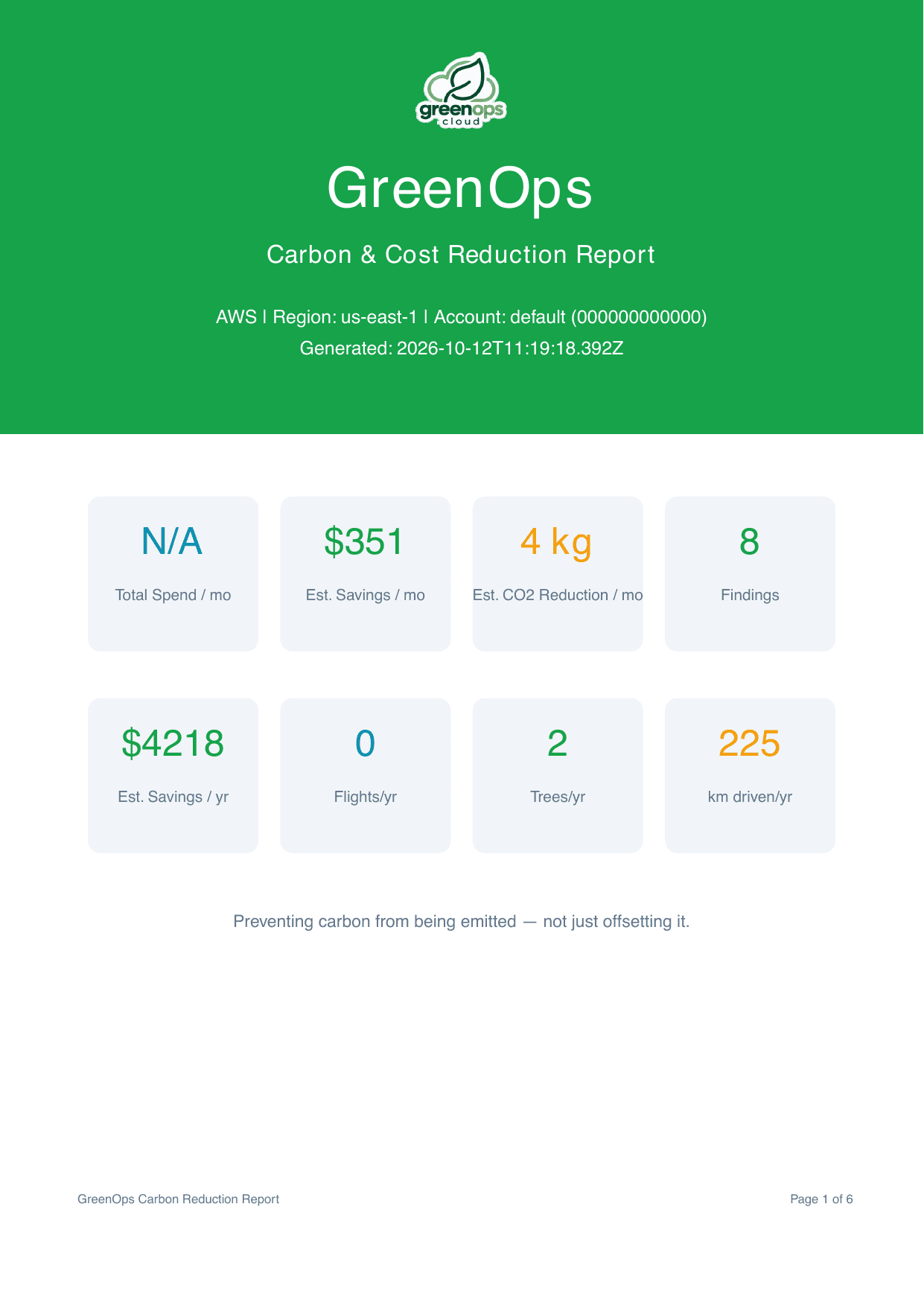
Real impact from a real scan
Not a projection — this is what one npx greenops-scan run found on a live AWS account.
Where the biggest savings are
Top single fix in this scan: 3 ECS services running below 5% CPU with 8–16 vCPU allocated — $864/month on its own.
What gets scanned
Ten AWS services, checked in parallel, in a single read-only pass.
EC2
Idle instances, Intel → Graviton upgrades, unattached EBS
S3
Missing lifecycle policies, untiered storage
ECS
Over-provisioned Fargate, validated with 30-day CloudWatch
EKS
Non-Graviton nodes, missing autoscaler
Lambda
Zombie functions, legacy runtimes, x86 → ARM
RDS
Idle DBs, Graviton upgrades, old snapshots
ElastiCache
Idle caches, Graviton upgrades
CloudFront
Unused distributions, outdated TLS
EBS Snapshots
Old snapshots, unused AMIs
VPC Endpoints
NAT Gateway paying to reach S3/DynamoDB instead of a free endpoint
How safe and reliable is it?
Built so you stay in full control — the scan runs entirely inside your own AWS account.
Read-only by design
Uses AWS read-only APIs only. Your credentials never leave your machine. No agent, no server, no data sent to us.
Usage-validated
Findings are checked against 30-day CloudWatch metrics before being reported, to avoid flagging resources that are actually busy.
Green Software Foundation methodology
Carbon estimates follow Green Software Foundation principles; cost estimates use current AWS pricing, not static rules.
Decision-support, not a replacement
This is a prioritization tool, not a billing system. Start with the top 10 findings and verify in your environment before rollout.
greenops-scan is free to run. Right now.
A free CLI tool that scans your AWS account for cost waste and carbon hotspots, and gives you risk-free insights — entirely read-only, with no credentials ever leaving your machine.
- No signup, no SaaS, no credit card
- Nothing to install — runs via npx
- Read-only: only needs the AWS ReadOnlyAccess policy
- Get a JSON + branded PDF report in ~2–3 minutes
npx greenops-scannpx greenops-scan --provider aws --profile production --region eu-west-1npx greenops-scan --severity high,criticalgreenops-scan speaks agent, too.
Point Copilot, Claude, Cursor, or any coding agent at your AWS account and let it run the scan, parse the findings, and hand you a prioritized cleanup plan — no dashboard, no SaaS integration required.
Read SKILLS.mdEvery prompt has a flag and an env var (--profile, --region, GREENOPS_NON_INTERACTIVE=1) so an agent can run a scan without ever getting stuck on a TUI prompt.
A versioned, documented schema on stdout — findings, per-module summaries, and Cost Explorer billing context, all ready to parse.
SKILLS.md spells out exactly how to rank findings by monthlySavingsUsd so an agent can surface the biggest-impact issues first, not just dump a wall of findings.
Value-led pricing
Start free. Scale as you save. No long-term contracts.
Automatic, regular scanning
The CLI runs when you type the command. GreenOps Cloud schedules scans for you, so nothing goes stale.
All issues in one web UI
No more re-reading JSON/PDF reports. Every finding, across every account, lives in a searchable dashboard.
Multiple users per team
Invite your whole team or company, assign roles, and share the same view of cost and carbon waste.
Jira integration (soon)
Turn findings directly into Jira tickets so remediation work lands where your team already plans it.
Free Forever
Free
Multi-account read-only scans with a recurring schedule. See your waste and carbon footprint without a credit card.
No credit card required.
- Multi-account read-only scans
- Up to 2 regions per account
- 1 schedule per account (weekly, monthly)
- 30-day scan history
- Critical and high findings
- 1 team member
Share of Savings
Performance
15–20% of validated savings
Billed monthly, only on savings we help you validate.
- Multi-account continuous monitoring
- Automated optimization recommendations
- Monthly carbon impact reports
- Slack & email alerts
- Dedicated onboarding support
Flat Monthly Fee
Predictable
Flat monthly fee based on cloud spend
Billed monthly, based on cloud spend. Cancel anytime.
- All Performance features
- Custom optimization playbooks
- API access for CI/CD pipelines
- Quarterly executive briefings
- Priority support
Sign up free, then upgrade in one click — no sales call.
From the blog
Engineering and cloud optimization notes from the GreenOps team.
October 14, 2026
Cloud Cost & Carbon Savings: The Full Presentation
The complete 28-slide deck on where AWS budgets actually go — the 27–32% waste problem, the four highest-impact savings categories, and a real account's $7.8K → $4.6K/month drop — embedded to read or download as a PDF.
October 14, 2026
The Cloud Waste Talk, on Video
The full GreenOps talk on YouTube: why every AWS account accumulates invisible waste, the four categories where the money goes, and a real account's drop from $7.8K to $4.6K/month.
October 12, 2026
And Don't Forget ECR: The Container Registry That Never Forgets Either
CI/CD pipelines push a new container image on every build and almost nobody deletes the old ones. AWS flags missing ECR lifecycle policies as a cost-optimization check — here's how to audit and fix it.
Start your free cloud audit
No credit card required. We will analyze your accounts and show you exactly what you are wasting.